Track live time on a project
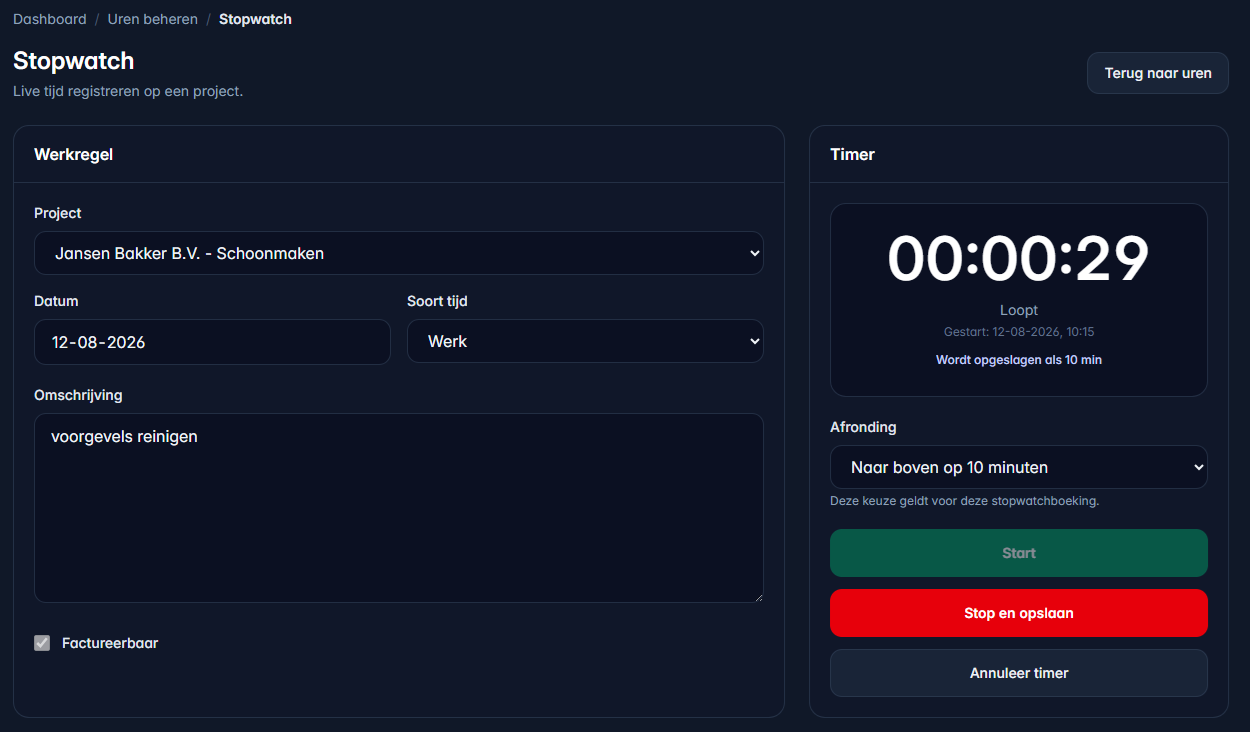
Choose the project, date, time type and description. Then start the stopwatch and save the measured time as a time entry.
Time tracking
Log hours manually, use short text or voice commands, or start the stopwatch when you begin. Afterwards, convert the hours to an invoice with one click.
Time tracking
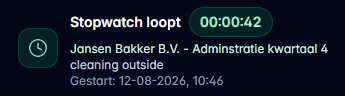
Start the timer on a project, round up if needed and keep navigating. The running stopwatch stays visible at the bottom until you stop and save it.
Choose the project, date, time type and description. Then start the stopwatch and save the measured time as a time entry.
When the stopwatch is running, the bottom bar remains visible on other pages so you immediately see that time is still being tracked.
Time tracking
A short demo of tracking hours and moving them toward invoicing.
Time tracking
UurKlus supports manual time entry, short commands and live stopwatch tracking. Each entry stores project, date, duration, rate, description and invoice status.
Track worked hours with date, duration, hourly rate and description, or measure time live with the stopwatch.
Time entries belong to a project, and each project belongs to the right client.
Book your hours and want them to be rounded to 5/10/15 minutes? Set it up and UurKlus will do this automatically for you.
Stopwatch tracking
Measure time while you work and save it directly as a time entry on the right project.
Once the stopwatch is running, a bottom bar shows the timer, project and description. It stays there while you navigate through UurKlus.
Choose per entry or in your settings whether UurKlus rounds up to none, 5, 10 or 15 minutes.
Hours remain traceable until they are placed on an invoice, so you can quickly see whether a job has been fully billed.
Workflow
Select the job you are working on. The project immediately provides the client context.
Enter a description and start the timer. You can round up to 5, 10 or 15 minute increments.
Stop the stopwatch when you are done. UurKlus turns it into a clean time entry.