Duidelijke regels
Bouw je offerte op met omschrijvingen, aantallen, prijzen en btw.
Offertes maken
Maak professionele offertes met duidelijke regels, stuur ze naar je klant en zet een akkoord direct om naar een factuur.
Offertes
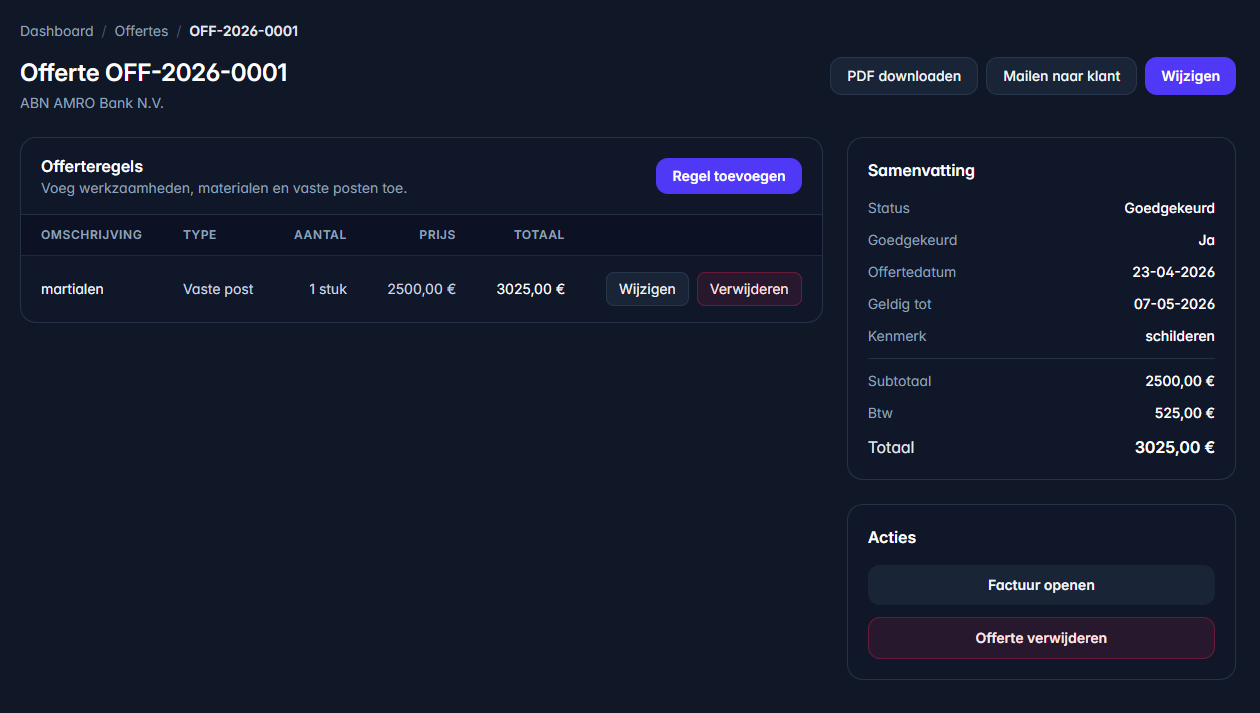
Offertes werken met statussen, regels, taalkeuze en een flow naar facturatie. Daardoor kun je professioneel voorstellen maken zonder later alles opnieuw over te typen.
Bouw je offerte op met omschrijvingen, aantallen, prijzen en btw.
Houd bij of een offerte concept, verzonden, geaccepteerd of verlopen is.
Gebruik geaccepteerde regels als basis voor facturatie.
Gebaseerd op de offertemodule
Volgens de Docs zijn statussen belangrijk om te weten of een offerte nog concept is, verstuurd is of al kan worden omgezet.
Offertes gebruiken een vergelijkbare structuur met regels. Dat maakt de stap naar facturatie logisch.
De offertemodule houdt rekening met taal, zodat je communicatie beter aansluit op de klant.
Het doel is simpel: één keer een voorstel maken en bij akkoord gebruiken als basis voor de factuur.
Werkwijze
Gebruik bestaande klantgegevens en kies de taal die past bij je klant.
Werk met duidelijke omschrijvingen, aantallen, prijzen en btw.
Deel je voorstel professioneel en houd de status bij.
Na akkoord hoef je de regels niet opnieuw in te voeren.