Contact- en factuurgegevens
Bewaar e-mail, factuur-e-mail, adres, land en btw-informatie per klant.
CRM voor vakmensen
Beheer klanten, contactgegevens, projecten en facturen overzichtelijk in UurKlus. Zo raak je niets kwijt en werk je sneller.
Klanten beheren
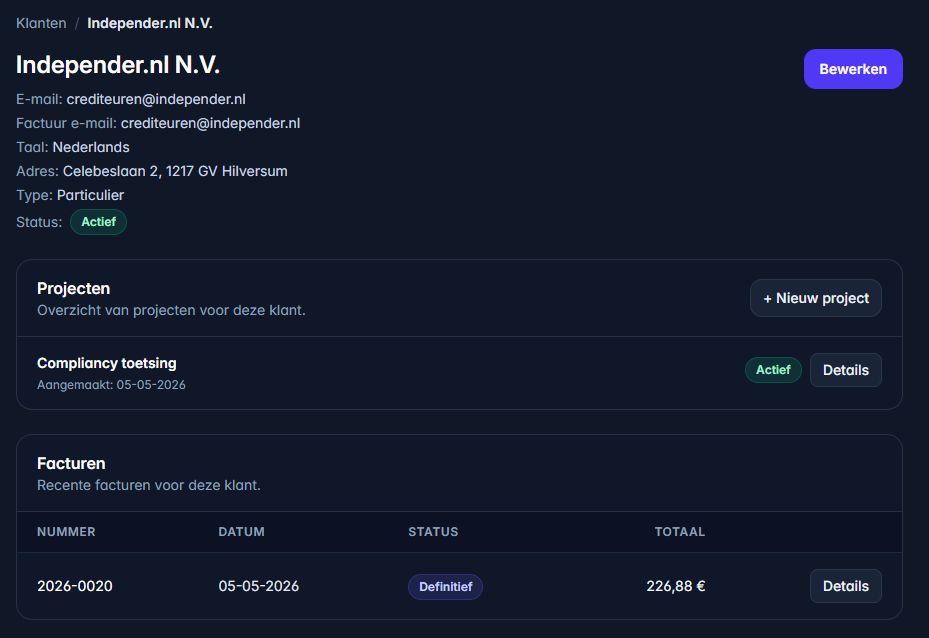
De klantenmodule bewaart naam, type klant, e-mailadressen, factuuradres, land en btw-gegevens. Die gegevens worden opnieuw gebruikt bij projecten, offertes en facturen.
Bewaar e-mail, factuur-e-mail, adres, land en btw-informatie per klant.
Leg vast of je klant een bedrijf of particulier is, zodat facturatie en btw-logica beter aansluiten.
De klant komt terug bij projecten, uren, offertes, facturen en historie.
Gebaseerd op de klantenmodule
De Docs noemen een apart veld voor factuur-e-mail. Zo kun je normale communicatie en facturatie naar verschillende adressen sturen.
Adresgegevens worden gebruikt om facturen compleet te maken. Het land helpt bij de juiste administratieve context.
Bij zakelijke klanten kun je btw-informatie vastleggen. Dat voorkomt zoekwerk wanneer je later factureert.
Projecten, facturen en andere administratie blijven rondom de klant gegroepeerd, waardoor terugzoeken veel eenvoudiger wordt.
Werkwijze
Vul naam, type en de belangrijkste contactgegevens in.
Gebruik een apart factuuradres of factuur-e-mailadres wanneer dat nodig is.
Voor zakelijke klanten kun je btw-gegevens vastleggen, handig voor facturatie.
Maak projecten aan onder de klant en bouw vanuit daar uren, offertes en facturen op.